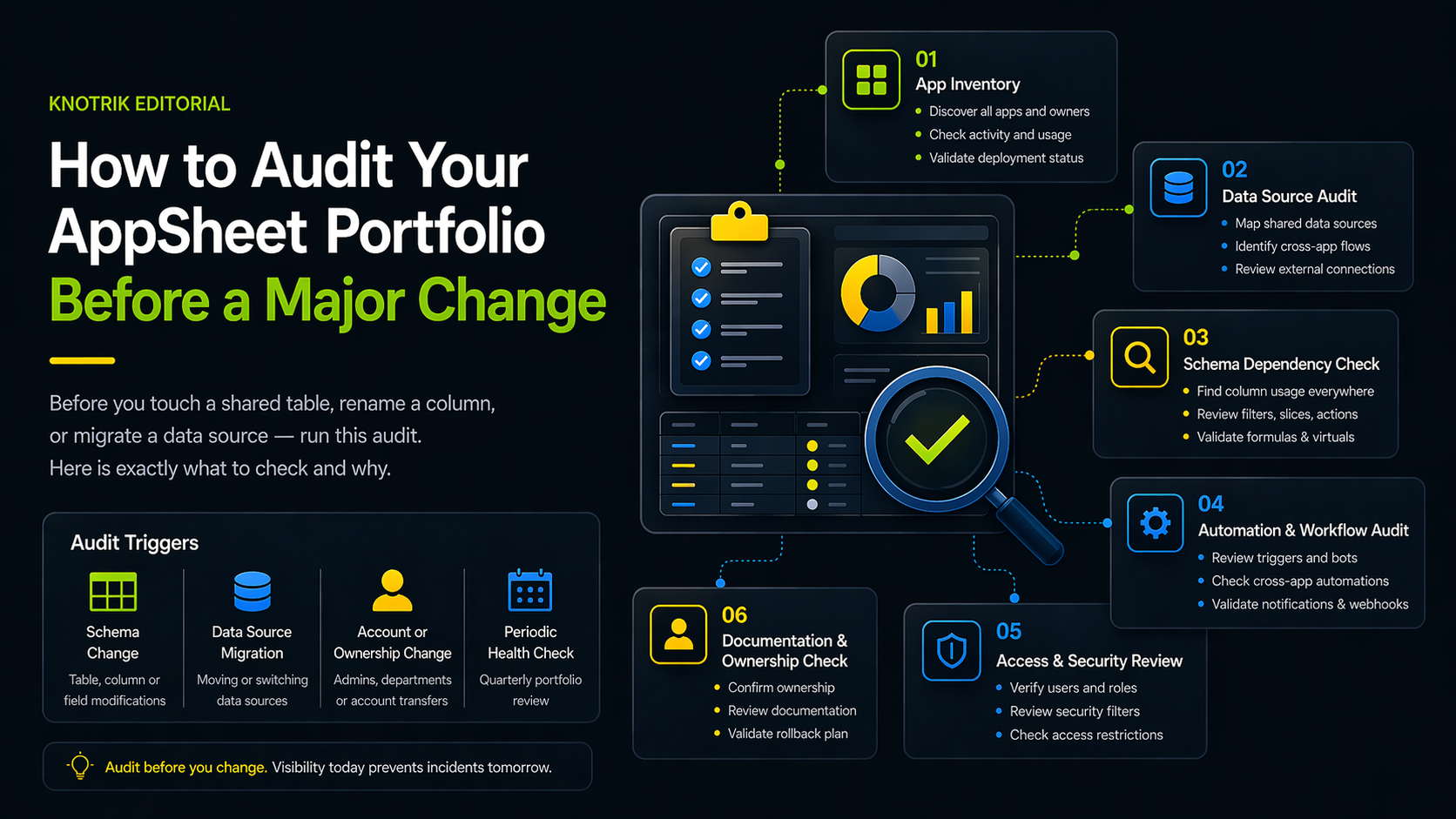
Before you touch a shared table, rename a column, or migrate a data source, run this audit. Here is exactly what to check and why.
Every AppSheet admin eventually faces the same moment: someone asks for a change that sounds simple (rename a column, swap a data source, restructure a table), and you have no reliable way to know what else it will break.
This is not a planning failure. It is a visibility failure. When portfolios grow past a handful of apps, the mental map that worked for one person stops working for a team. Changes that felt safe at small scale become risky at large scale because the dependencies are invisible.
This checklist exists so you can make that invisible visible before anything changes.
The 6-part audit at a glance
- 1 App inventory: know what exists before you touch anything
- 2 Data sources: which apps share which sheets and tables
- 3 Schema dependencies: what breaks if this column changes
- 4 Automations: the silent failures waiting to happen
- 5 Access & security: who can suddenly see what they shouldn't
- 6 Ownership & docs: who must know, and what's the rollback
Before you start: scope the audit
The first question is what you are auditing. Most admins make the mistake of trying to audit everything at once and ending up with a sprawling spreadsheet nobody maintains. Instead, scope by change trigger. There are four:
- Before a schema change: modifying a shared table, renaming a column, changing a column type, or removing a field.
- Before a data source migration: moving from one Google Sheet to another, switching to BigQuery, or changing the underlying database.
- Before an account or ownership change: an admin is leaving, a department restructures, or apps need to transfer between AppSheet accounts.
- Periodic health check: quarterly review with no specific change trigger, used for ongoing governance.
The checklist below applies to all four, but the order of priority shifts depending on which trigger applies.
Part 1: App inventory
Before you can audit dependencies, you need a complete list of what exists.
| Check | What to look for |
|---|---|
| Total app count | Are there apps in accounts you do not regularly check? Shadow accounts are common when teams grow. |
| Last active date | Apps not opened in 90+ days may be abandoned but still connected to live data sources. |
| Owner assignment | Which apps have no designated owner? Ownerless apps are the highest risk in a change scenario. |
| Deployment status | Is this app in development, testing, or production? Not all apps deserve equal caution. |
| User count | How many people are actively using this app? High-user apps need longer change communication windows. |
Apps with no owner and more than 10 active users. Apps that were last scanned over 6 months ago. Apps deployed to production with no documentation.
Part 2: Data source audit
Every data source is a potential dependency. Before any change, map which apps share which sources.
| Check | What to look for |
|---|---|
| Shared Google Sheets | Which spreadsheets are referenced by more than one app? A change to that sheet affects all of them. |
| Shared BigQuery tables | Same concern: identify all apps reading from or writing to each table. |
| Cross-app data flows | Are any apps reading data written by another app's automations? These chains are invisible in the AppSheet editor but very visible during an outage. |
| Direct spreadsheet edits | Is anyone editing the underlying Google Sheet directly, outside of AppSheet? This creates data quality risk. |
| External API connections | Which apps call external services? If the service changes, which apps break? |
A single Google Sheet referenced by more than 5 apps. Any app where the data source owner is unknown. Automated writes happening at high frequency with no error handling.
Part 3: Schema dependency check
This is the most important section if you are about to change a column, rename a field, or add a required attribute.
| Check | What to look for |
|---|---|
| Column usage in formulas | Search every app for references to the column you are changing. A renamed column breaks every formula that references the old name. |
| Column usage in slices | Slices filter rows based on column conditions. A changed column type can invalidate slice filters silently. |
| Column usage in security filters | Security filters are often the last place people check. A broken security filter might let the wrong users see data rather than showing an error. |
| Column usage in automations | Automations that trigger on column values will behave incorrectly if the column type or allowed values change. |
| Column usage in actions | Actions that write or update values into columns need to be verified after any schema change. |
| Virtual columns | Virtual columns that compute values based on the changed column need to be identified and tested. |
Any column that appears in security filters across multiple apps. Columns used in automation conditions without logging or error handling. Virtual columns built on top of other virtual columns, which create brittle dependency chains.
Part 4: Automation and workflow audit
Automations are the most failure-prone part of any AppSheet portfolio change. They run silently, fail silently, and are rarely documented.
| Check | What to look for |
|---|---|
| Automation triggers | What events start each automation? If you change the triggering condition or column, which automations stop firing? |
| Cross-app automations | Do any automations write to data sources that other apps read? Other apps will not fire their own bots from this write (unless API calls are involved), but they will read the changed data on their next sync, so the effect still ripples outward. |
| Email and notification automations | Who receives automated messages? After an account change, are the right people still being notified? |
| Webhook calls | Do any automations call external endpoints? Are those endpoints still active? |
| Bot run frequency | High-frequency bots that interact with shared data sources are your highest-risk automations during any change. |
Automations with no conditional logic, so they run on every row, every time. Automations that write to shared tables without row-level locking or conflict detection. Any automation whose last successful run is unknown.
Part 5: Access and security review
Changes often create access drift: situations where users can suddenly see or edit data they should not be able to access.
| Check | What to look for |
|---|---|
| User list accuracy | Are all current users still in the organization? Former employees with active app access are a common security gap. |
| Role definitions | Are roles still accurate given the change you are making? Changing a table's structure can affect which rows different roles see. |
| Security filter coverage | Every app that stores sensitive data should have security filters. Any app without them exposes all data to all users. |
| Domain restrictions | Are apps restricted to your organization's email domain, or are they open to any Google account? |
Apps with no security filter on tables containing personally identifiable information. User lists that have not been reviewed in the past 6 months. Any app that does not require sign-in, or that allows all signed-in users instead of a reviewed allow list of authorized emails.
Part 6: Documentation and ownership check
The final part of the audit is not technical. It is organizational. Changes fail not because of missing configuration but because nobody knew who to notify or what the app was supposed to do.
| Check | What to look for |
|---|---|
| App purpose documented | Can you describe in one sentence what each affected app does and who uses it? |
| Change communication plan | Who needs to know about this change before it happens? Who needs to know after? |
| Rollback plan | If the change breaks something, what is the fastest path back to a working state? |
| Test environment | Is there a copy of the affected app in a non-production state where you can test the change first? |
Any app with no description and no owner. Changes planned for Friday afternoon. No rollback plan for changes affecting production users.
Turning the audit into a repeatable process
Running this checklist once before a single change is useful. Running it quarterly against your entire portfolio is governance.
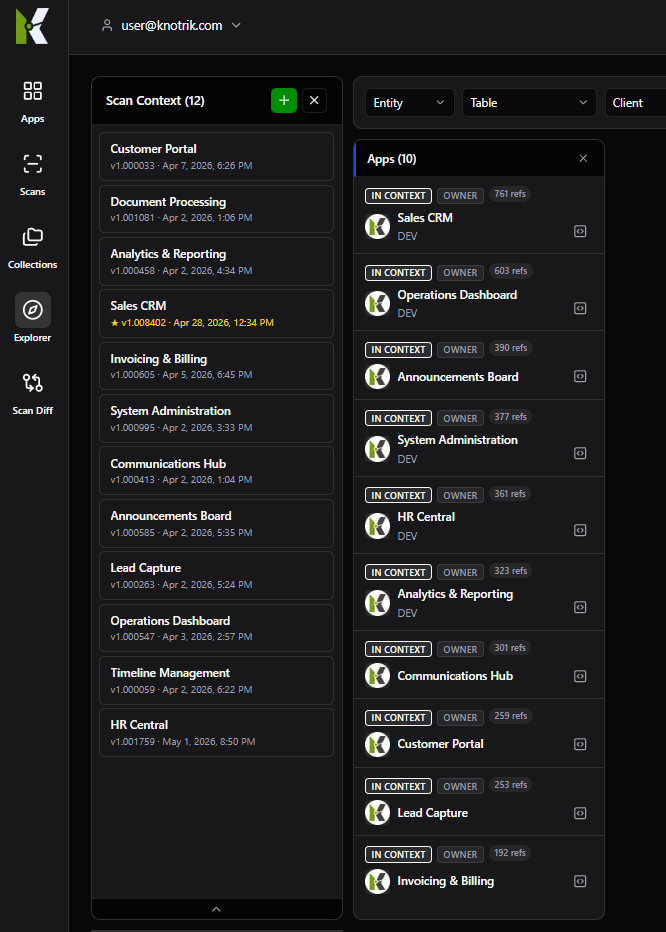
The difference between reactive and proactive AppSheet administration is usually just this: the teams with no incidents are not luckier; they are the ones who have done this audit before they needed to.
At Knotrik, we built our portfolio scan specifically to automate the first four parts of this checklist (inventory, data sources, schema dependencies, and automation visibility) across every app in your account simultaneously. Parts 5 and 6 stay with you, because access decisions and ownership are organizational calls no scan can make. The manual version of this audit takes days. The automated version runs while you take a meeting.
If you would like to see what your own portfolio's dependency map looks like, join the early access program and we will run the first scan together.
Share this Insight
Explore More Portfolio Insights
Stay ahead of governance blind spots with practical deep dives from real AppSheet portfolios.
Related Insights
 Infrastructure
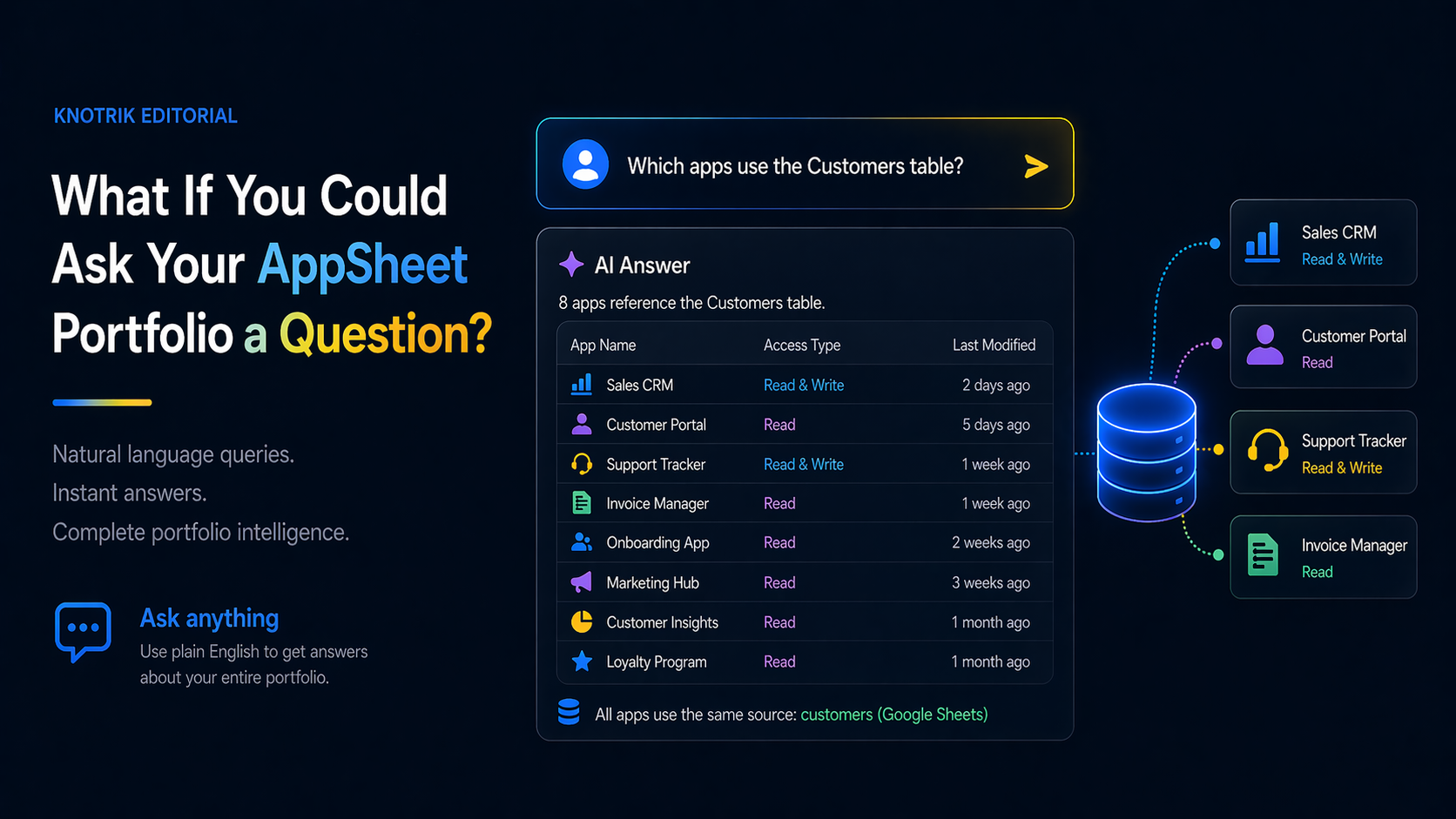
What If You Could Ask Your AppSheet Portfolio a Question?
Imagine typing "which apps use the Customers table?" and getting an instant answer. That is not a demo scenario. It is what MCP-connected portfolio intelligence looks like in practice.
 Governance
Mapping the AppSheet Dependency Web
Discover how to untangle the complex web of cross-app data dependencies that most organizations do not even know they have.
 Efficiency
The Hidden Costs of Governance Gaps
Ungoverned citizen development can lead to redundant costs and security risks. Learn how to quantify the ROI of better visibility.